
Oct 2, 2026
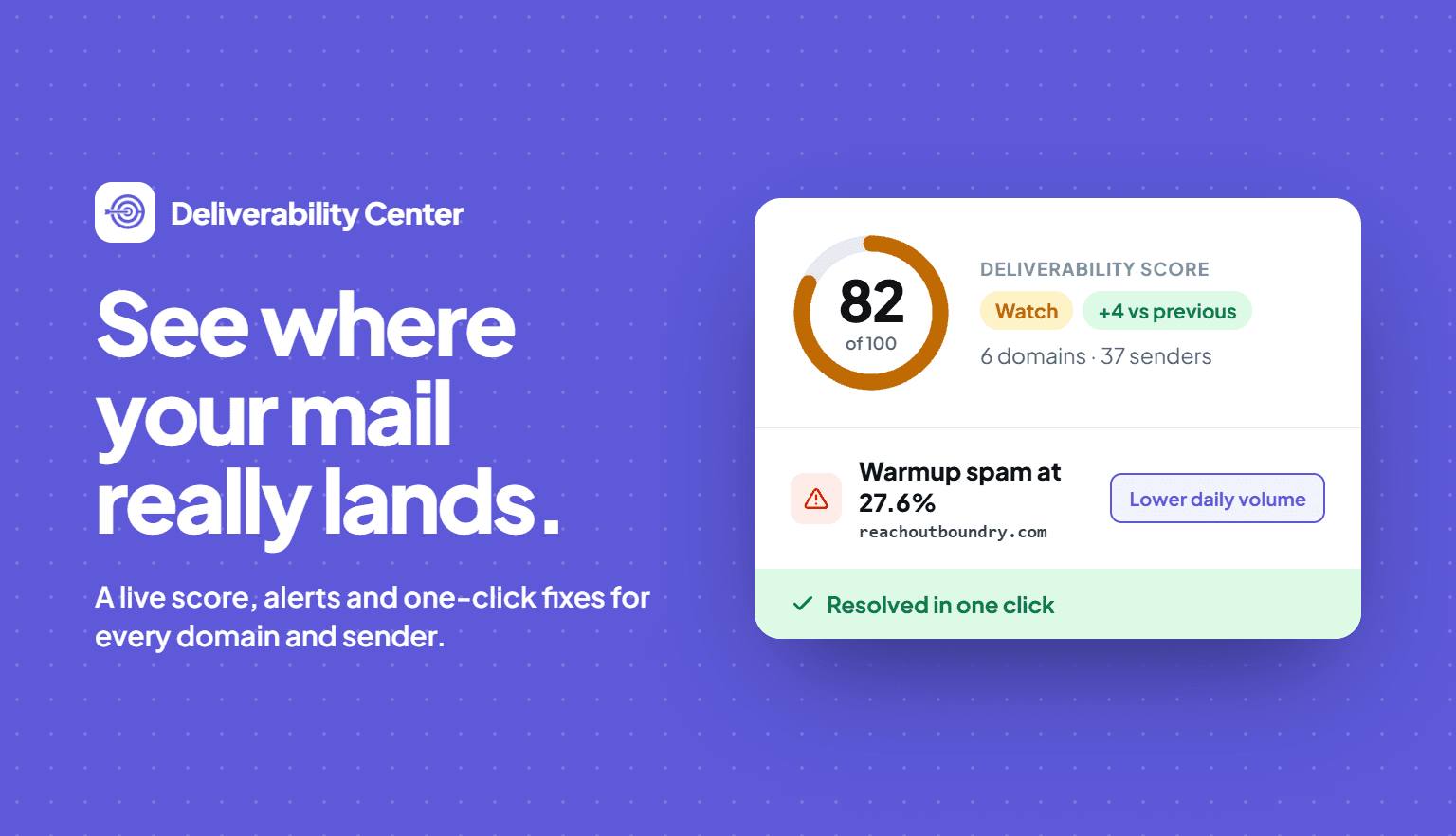
Deliverability Center is now live in Outboundry. It brings your warm-up and campaign health into one place, shows exactly which domain, sender or recipient provider is causing a problem, and gives you a one-click fix for each issue.
Why we built it
Sending at scale has changed. Mailboxes that once sent 500–1,000 emails a day now struggle to send 50 consistently. The hardest part of deliverability today is monitoring: spotting problems early and acting before a domain is burnt. Deliverability Center is built to help you do exactly that.
No more open rates
Apple Mail and Gmail now load images on the recipient's behalf, so open rates no longer tell you anything reliable. Deliverability Center uses two signals that can't be faked instead:
Warmup placement: whether your warmup emails land in the inbox or spam, measured directly.
Reply rate: mail in the inbox gets replies, and mail in spam doesn't, so a falling reply rate is your earliest warning sign.
What's new
Deliverability score: a single 0–100 number on the Overview that tells you in seconds whether you're Healthy, on Watch or At risk.
Overview, Warmup and Campaigns tabs: campaign and warmup health side by side, with daily charts for inbox placement, reply rate and bounces.
Drill-down by domain, sender and provider: go from a bad number to the exact domain, mailbox or recipient provider (Gmail, Microsoft 365, Yahoo and more) causing it.
Needs attention alerts: problems ranked by how much of your sending volume is at risk, not by how alarming they look.
One-click fixes: pause sending, lower daily volume, extend warmup, run a placement test or fix DNS, right from the alert.
Setup checks: see at a glance whether SPF, DKIM and DMARC are passing and enforced on each domain.
Exports: download a CSV of the raw data, or a branded PDF report you can share with clients.
Where to find it
Open Deliverability Center from the left menu in Outboundry. It's available now for all workspaces.
New to it? Our help article walks through every metric, threshold and action: Deliverability Center: how it works
Sep 24, 2026
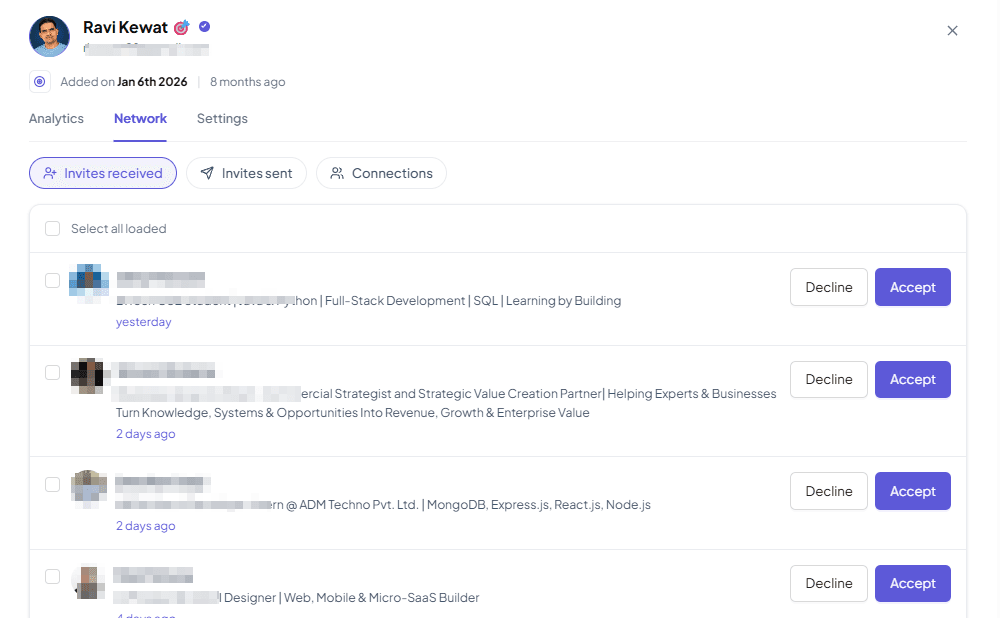
Managing your LinkedIn network is easier than ever with Outboundry. You can now manage your incoming invitations, sent invitations, and existing connections directly from Outboundry for any connected LinkedIn account.
With the new Network section, you can:
Manage incoming invitations: View all pending connection requests and choose to accept or ignore them directly from Outboundry.
Manage sent invitations: See all connection requests you've sent that are still pending and withdraw invitations when needed.
View existing connections: Browse your LinkedIn connections directly within Outboundry.
Manage multiple LinkedIn accounts: Access and manage the network for each connected LinkedIn account in one place.
You no longer need to switch between Outboundry and LinkedIn to keep track of your connection activity. View, organise, and manage your LinkedIn network right alongside your outreach campaigns.
Manage it from LinkedIn Accounts > Click LinkedIn Account > Network
Sep 17, 2026
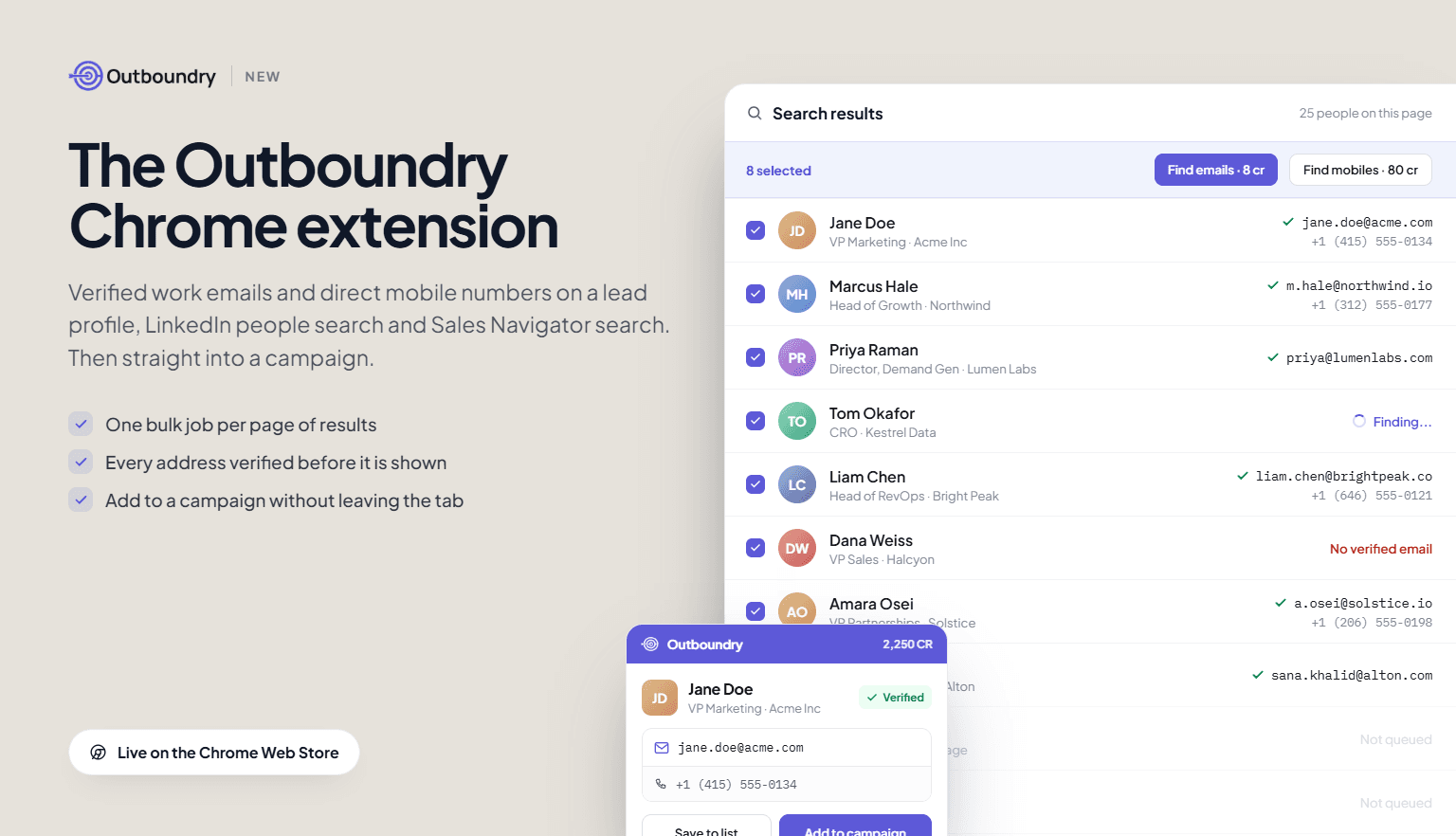
You can now use Outboundry without leaving the tab you prospect in. Install the extension, and a panel opens next to any lead profile or page of search results, with verified work emails and direct mobile numbers ready to use.
Where it works
Lead profile: Open the panel on a person and reveal a verified work email, a direct mobile number, or both.
LinkedIn people search: Select rows and run one bulk job across the whole page instead of opening profiles one at a time.
Sales Navigator lead and account search: Same panel, same bulk job, same credit cost.
What you can do from the panel
Reveal verified emails and mobile numbers, individually or in bulk.
Add leads to an Outboundry campaign with tags applied, or save them to a list for later.
Watch a bulk job run in the background while you keep browsing.
See your live credit balance: 1 credit per email, 10 credits per mobile number.
How the data works
Contact details come from Outboundry's own contact database and verification pipeline, not from the page you are on. Every address is checked before it is shown, and the extension never messages, connects or posts on your behalf.
Getting started
Install from the Chrome Web Store, log in with your Outboundry account, and open the panel on any profile. Trial credits are included, and existing plan credits work in the extension with no separate billing.